
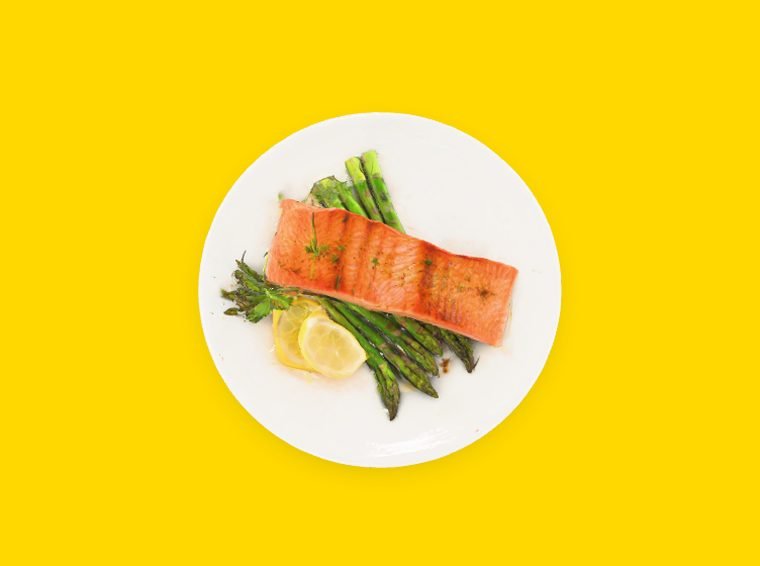
Salmon fillet3D€21
3D menu for restaurants
Your dishes,
in 360°.
With the 3D menu, your dishes appear in volume inside the digital menu. Guests spin them with a finger, zoom in on the plating and choose before the plate even arrives. No app to install.
Salmon fillet3D
Why go
3D.
A photo shows a single angle. A 3D dish can be explored in full, right inside the digital menu without leaving it. 3D is part of the Pro plan.
01 · Picture it
Guests spin the dish, zoom in on the plating and see what they will really get.
02 · A consistent menu
The ideal is to model everything for a consistent menu. You can also start with your signature dishes.
03 · Nothing to install
The 3D opens in the browser, on iPhone and Android, after a simple scan of the table QR code.
No commitment
One demo,
and you're off.
Pick a day and a time: we walk you through Ryvka live.
November 2026
Booked
You're all set.
A confirmation email is on its way. You'll then receive a Google Meet invitation at that address.
Open the Google Meet linkQuestions
on the 3D menu.
What is a 3D menu for a restaurant?
A 3D menu shows your dishes in volume inside the digital menu. Instead of a single photo, the guest spins the dish with a finger and sees it from every angle before ordering.
How do I model a dish in 3D?
From the Ryvka app, on a compatible iPhone: you scan the dish with the camera, the 3D model is generated automatically, then you switch it on in the dish settings. No technical skills are needed.
Do my guests need to install an app to see the dishes in 3D?
No. They scan the QR code on their table and the menu opens in their phone browser, with the 3D dishes built in. Nothing to install and no account to create.
Do I need an iPhone to use the 3D menu?
You need a compatible iPhone to model your dishes. Your guests, on the other hand, see the dishes in 3D on any recent smartphone, iPhone or Android.
Do I have to model my whole menu in 3D?
It is not mandatory. The ideal is to model everything so the menu stays consistent, but you can start with your signature dishes and add the rest later. Dishes without 3D keep their usual display.
Is the 3D menu included in my subscription?
The 3D modelling of 15 dishes is part of the Pro plan (€90 excl. VAT per month billed annually, €100 excl. VAT billed monthly), with no commitment. It is not included in the Essential plan. See the Pricing page for details.
Does the 3D menu slow the menu down on the phone?
No. The models are lightened for mobile, and the menu works as usual: prices, sold-out flags and ordering are shown just like for the other dishes.